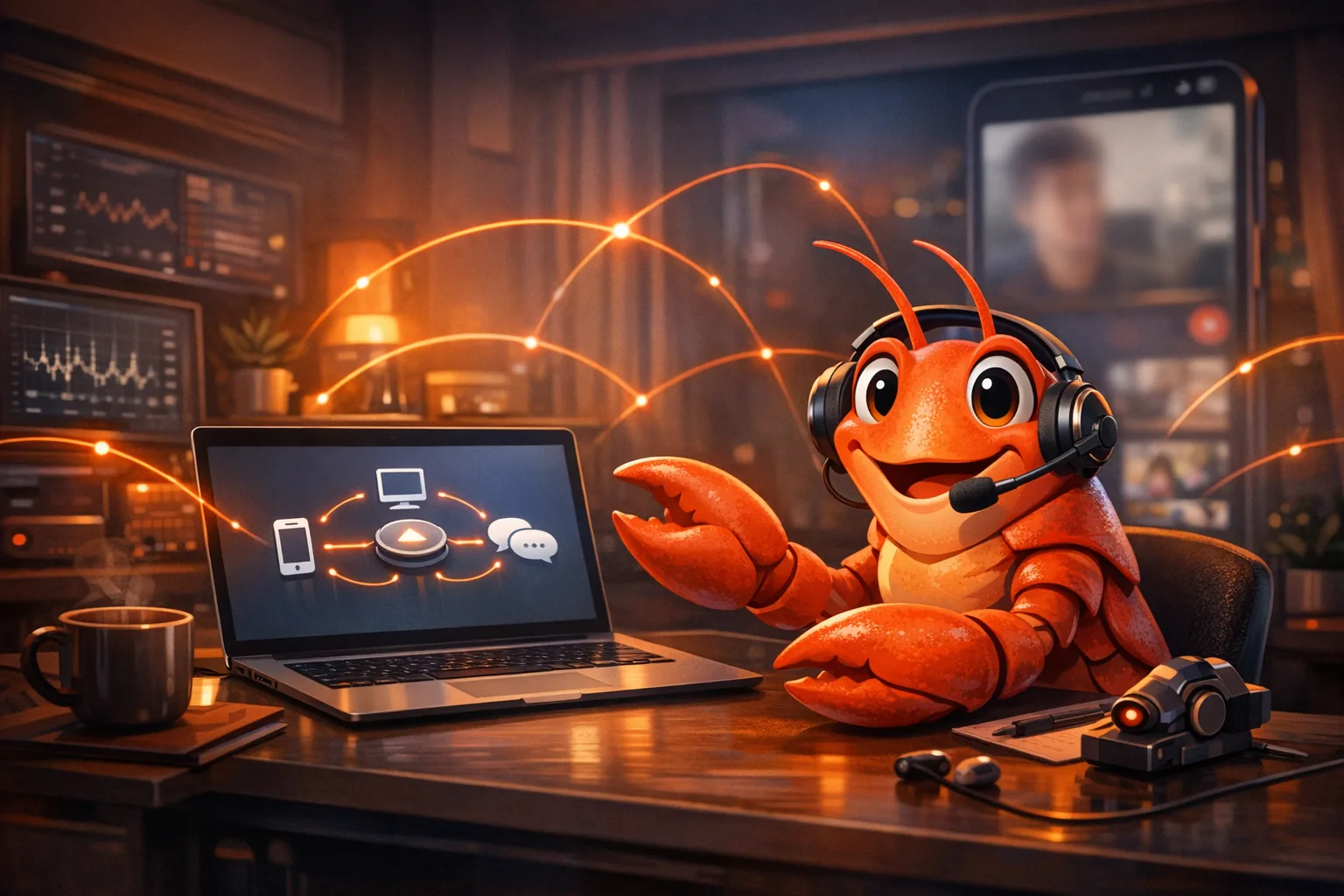
How Does OpenClaw Work? A Guided Tour of the Lobster Assistant
OpenClaw is the kind of project that made me pause and look twice.
It calls itself a personal AI assistant, but it does not live in a web app. It lives in your terminal. It sits on a WebSocket control plane. It talks through WhatsApp and Telegram and Slack. It has plugins and skills and a browser controller. It ships a macOS menu bar app. It also has a mascot that is, unapologetically, a lobster.
That combination is not an accident. OpenClaw is designed like infrastructure, not a chat demo. Once you start viewing it that way, the code tends to make a lot more sense.
This is a guided tour of how OpenClaw works, from the outside in. I will cover:
- what OpenClaw is trying to be
- why it changed names (Clawdbot → Moltbot → OpenClaw)
- the Gateway, which is the control plane for basically everything
- how messages become sessions, and sessions become a tool-using agent run
- where tools, skills, plugins, and safety boundaries actually live
What OpenClaw is (in one paragraph)
OpenClaw is a personal AI assistant you run on your own devices. It is built around a local Gateway process that acts as a control plane. The Gateway connects to your chat channels, hosts a Web UI, brokers requests from clients, and streams events back out. The assistant itself is the product, but the Gateway is what makes it feel always-on and multi-channel.1
If you prefer to think in systems terms: OpenClaw is a message router and orchestration bus wrapped around a tool-using LLM agent.
Why the name kept changing
OpenClaw did not start life with this name.
In the project’s own lore, the first mascot was “Clawd” living in “OpenClaw”, until Anthropic sent a polite email in January 2026 asking for a name change (trademark stuff). So the lobster molted into “Molty” and the project became Moltbot, before finally landing back on OpenClaw as the long-term name on January 30, 2026.2
In the codebase, you can still see that lineage made practical: legacy state directories like ~/.clawdbot and ~/.moltbot are treated as first-class citizens, and OpenClaw will look for old config filenames and migrate forward.3
The changelog also makes the rebrand explicit: the npm package and CLI were renamed to openclaw, with compatibility shims and extension scope changes.4
I read that as a signal about priorities. The project expects people to run it for long periods, upgrade it, and keep state across versions.
The “shape” of the system
OpenClaw is easier to understand if you stop thinking about it as a chatbot and start thinking about it as a network.
At the center is a single long-lived process: the Gateway.
Everything else, including the CLI, web UI, channel connectors, and device nodes, are clients of that Gateway. They connect over a WebSocket protocol and call methods, receive events, and stream updates.5
Here is the mental model I use:
Channels (WhatsApp, Telegram, Slack, Discord, etc)
          │
          ▼
      [Gateway]
   ws://127.0.0.1:18789
          │
          ├─ Web UI (control)
          ├─ CLI (openclaw …)
          ├─ Agent runtime (Pi embedded runner)
          ├─ Plugins + skills
          └─ Nodes (macOS, iOS, Android)
The important bit is not the diagram. It is where the system pulls you:
- The Gateway is the only thing that needs to be “always on”.
- The rest can connect and disconnect without breaking the core.
- The assistant can reply on whatever channel you happen to be using.
The Gateway is a control plane, not just a server
If you want the actual entry point for “how does this thing boot”, start with startGatewayServer in the Gateway implementation.6
It reads like a service that expects to stay up:
- read and validate config (including legacy migration)
- auto-enable certain plugins based on config and environment
- initialize registries (subagents, nodes, skills)
- create runtime state: HTTP server(s), WebSocket server, client set, broadcast helper, and run registries
- start discovery, maintenance timers, cron, update checks, and sidecars (browser control, channels)
- attach the WebSocket method dispatcher and event fanout
- wire up hot reload and shutdown
OpenClaw uses a single WS network for clients, tools, and events. When a client connects, the server issues a connect.challenge nonce and expects a proper connect handshake. The connection handler also tracks presence, and for “node” clients it registers them and cleans up subscriptions when they disconnect.7
It is not glamorous, but details like this are usually what separate “it demos” from “it keeps working when you stop babysitting it”.
Config is treated as an evolving contract
One subtle but important design choice: OpenClaw config is not just parsed, it is treated as a versioned contract.
The config loader supports JSON5, includes, environment substitution, and a migration path for legacy keys and paths.8
That is why you see both “OpenClaw” and “Clawdbot” env var keys in the code. This is not indecision. It is compatibility.
Channels are plugins, and plugins matter
OpenClaw’s channel connectors (WhatsApp, Telegram, Slack, Discord, etc) are implemented as channel plugins. The Gateway loads plugins at startup, and the active plugin registry becomes the source of truth for what channels exist.9
If you are curious where extensibility actually lives, the plugin loader is a good place to look. It explains how OpenClaw stays both extensible and controlled:
- it discovers candidates from built-in and configured paths
- it reads manifests
- it normalizes enablement state (including per-origin precedence)
- it loads plugin modules via a runtime loader (Jiti), then registers tools, hooks, channel implementations, handlers, CLI commands, and other services10
If you have ever tried to build “plugins” in a hurry, you know why this matters. It is easy to create a plugin system that is powerful and hard to reason about. OpenClaw’s approach reads like it was built by someone who has had to debug plugin issues under time pressure.
Sessions: how OpenClaw keeps your conversations coherent
A multi-channel assistant has a deceptively hard job: “remember what we were talking about” across different apps, threads, and devices.
OpenClaw’s answer is session keys and session transcripts.
Session keys are structured
Session keys are not random GUIDs. They are structured identifiers that encode agent scope and conversational scope (main, per peer DM, per channel, threads, and subagents).11
That structure is what makes features like “reply in the same thread” and “spawn subagents without losing context” possible.
Session state is persisted, cached, and repairable
OpenClaw keeps a session store on disk (a JSON file) and individual session transcripts (JSONL files). The store is cached with a TTL to avoid re-reading frequently, and writes are done carefully (including platform-specific behavior) to reduce corruption risk.12
When it appends messages to transcripts, it uses a session manager from its agent runtime library and emits transcript update events.13
If you are coming from “stateless chat completions”, this is the part that can feel unfamiliar. But it is exactly what you need once the assistant is always on and always present.
The agent loop: where the lobster thinks
OpenClaw’s “brain” is implemented as an embedded runner around a tool-using agent runtime (Pi). The function runEmbeddedPiAgent is a good starting point because it shows the outer orchestration: lanes, model selection, auth profiles, context window guardrails, failover, and how streaming output is formatted based on the destination channel.14
The deeper, more interesting path is runEmbeddedAttempt, which is where a specific run is staged and executed.15
Here is the flow, simplified:
- Choose the effective workspace (and apply sandbox policy if enabled)
- Load workspace skill entries and apply skill environment overrides
- Build the skills prompt for this run
- Resolve “bootstrap context” files that become part of the agent’s view of the workspace
- Construct the tool set (exec, browser, channel actions, nodes, and more), then sanitize or adapt tools based on provider quirks
- Build a system prompt that describes the environment, capabilities, and policies
- Create or load a session transcript and run the agent, streaming partial replies and tool events
That staging work is part of why OpenClaw can feel less like “a wrapper around an API” and more like a system. It does a lot before the model ever sees your message.
Concurrency: why OpenClaw uses “lanes”
Tool-using agents are slow in a very specific way: they block on external things. A browser action. A network call. A tool timeout. A rate limit.
If you let runs interleave freely, you tend to get the usual distributed-systems mess: duplicated side effects, out-of-order updates, and transcripts that become unreadable because two runs fought over the same session file.
OpenClaw’s embedded runner uses a queueing concept called lanes. There is a session lane (so a single conversation stays coherent) and a global lane (so you can apply global backpressure when the assistant is busy). Runs are enqueued rather than executed in a free-for-all.14
This is one of those unsexy design choices you start to appreciate once you have watched an assistant try to do three things at once and do all three poorly.
Tools are built with policy context, not just function signatures
The tool constructor gets a lot of context: which channel the message came from, who sent it, which workspace to operate in, what sandbox policy is active, and what model and auth mode is in play.15
That matters because “tool calling safety” is not just about schemas. It is about scope.
OpenClaw’s architecture is very explicit about scoping:
- per-session keys and thread routing
- per-workspace skill configuration
- sandbox context
- separate node clients and node subscriptions
Those primitives make it easier to build an assistant that is helpful without being reckless.
Reliability is treated as a first-order feature
The embedded runner includes:
- context window guardrails (warn and block thresholds)
- auth profile rotation and cooldowns
- provider and model normalization
- failover logic with reason classification (rate limit vs auth vs timeouts)
It is the same idea you see in resilient API clients, applied to “LLM calls as a dependency”.14
Nodes, Canvas, and “assistant as a device graph”
One reason OpenClaw can feel different is that it is not limited to text. The Gateway maintains a node registry and can route certain tool requests via nodes (mobile or desktop). The server boot path also primes remote skills caches and refreshes remote binaries for connected nodes when skills change.6
If you squint, OpenClaw is a device graph:
- the Gateway is the hub
- a node is a capability surface (camera, screen record, voice wake, browser proxy)
- the agent decides when to use that surface
This is also the part where a local control plane pays off. If you tried to build this purely server-side, you would quickly run into permission and ergonomics problems.
How OpenClaw “sees” things (and why the TikTok demo makes sense)
There is a certain kind of demo that immediately makes a personal assistant feel real. Not “it can write code”, but “it can see what I am seeing”.
OpenClaw has three different ways to do that, and they map cleanly to the system design:
1) It sees what you send
If a message arrives with attachments, OpenClaw can treat those attachments as part of the run context. The WhatsApp media notes show the flow: inbound media is downloaded, exposed to the templating and command pipeline, and can optionally be summarized into short [Image], [Audio], or [Video] blocks before the reply logic runs.1617
That “pre-digest” feature matters because it turns “random attachment” into “structured context the agent can act on”.
2) It sees through a controlled browser surface
OpenClaw includes an agent-controlled browser mode that runs in a dedicated profile and exposes tab control, actions, and snapshots. This gives the agent a way to see web content without relying on hallucinated “I looked it up” behavior.18
It also supports proxying browser control through a node host, which fits the overall pattern: the Gateway is the control plane, and “capabilities” can live on the right machine.18
3) It sees through your devices (nodes)
This is the part that enables the TikTok-style story.
Nodes expose a command surface over the same Gateway WebSocket. That surface includes camera capture, canvas snapshots, and screen recordings (screen.record). The docs are very direct about the constraints: the node app must be foregrounded, and Android will show the system capture prompt before recording.1920
Put those pieces together and the “bot watching TikTok” demo becomes a lot more understandable:
- You run the OpenClaw Android node.
- You record 10 seconds of your screen while you scroll.
- The node returns an mp4.
- OpenClaw can pass that video to a video-capable model, or run its media understanding pipeline to summarize what happened.1917
What I like about this example is that it is not magic. It is a capability surface, a permission gate, and a protocol that makes the capability available to the agent.
If you want to follow the code, start here
If you want to read the codebase in a weekend without getting lost:
README.mdfor the intent and mental model1src/gateway/server.impl.tsfor the Gateway boot lifecycle6src/gateway/server/ws-connection.tsfor the WS handshake and client roles7src/agents/pi-embedded-runner/run.tsandrun/attempt.tsfor the agent loop and tool construction1415src/plugins/loader.tsfor how channels and extensions become real runtime behavior10
The codebase is large, which makes sense because it is not one feature. It is closer to an assistant platform.
Summary
OpenClaw works because it treats “personal assistant” as an infrastructure problem:
- a single always-on Gateway control plane
- a WebSocket protocol for clients, events, and method calls
- channel connectors as plugins, not hard-coded code paths
- persistent sessions and transcripts so context survives across channels and devices
- a tool-using agent loop that is staged with skills, sandboxing, and policy context
If you like assistants that feel local and opinionated and engineered, OpenClaw is worth studying. Even if you never run it, the architecture is a good reminder: reliability is a feature, and it starts before the model answers.
Footnotes
-
https://github.com/openclaw/openclaw/blob/main/docs/start/lore.md ↩
-
https://github.com/openclaw/openclaw/blob/main/src/config/paths.ts ↩
-
https://github.com/openclaw/openclaw/blob/main/CHANGELOG.md ↩
-
https://github.com/openclaw/openclaw/blob/main/src/gateway/server.impl.ts ↩ ↩2 ↩3
-
https://github.com/openclaw/openclaw/blob/main/src/gateway/server/ws-connection.ts ↩ ↩2
-
https://github.com/openclaw/openclaw/blob/main/src/config/io.ts ↩
-
https://github.com/openclaw/openclaw/blob/main/src/channels/plugins/index.ts ↩
-
https://github.com/openclaw/openclaw/blob/main/src/plugins/loader.ts ↩ ↩2
-
https://github.com/openclaw/openclaw/blob/main/src/routing/session-key.ts ↩
-
https://github.com/openclaw/openclaw/blob/main/src/config/sessions/store.ts ↩
-
https://github.com/openclaw/openclaw/blob/main/src/config/sessions/transcript.ts ↩
-
https://github.com/openclaw/openclaw/blob/main/src/agents/pi-embedded-runner/run.ts ↩ ↩2 ↩3 ↩4
-
https://github.com/openclaw/openclaw/blob/main/src/agents/pi-embedded-runner/run/attempt.ts ↩ ↩2 ↩3
-
https://github.com/openclaw/openclaw/blob/main/docs/nodes/images.md ↩
-
https://github.com/openclaw/openclaw/blob/main/docs/nodes/media-understanding.md ↩ ↩2
-
https://github.com/openclaw/openclaw/blob/main/docs/tools/browser.md ↩ ↩2
-
https://github.com/openclaw/openclaw/blob/main/docs/nodes/index.md ↩ ↩2
-
https://github.com/openclaw/openclaw/blob/main/docs/platforms/android.md ↩